
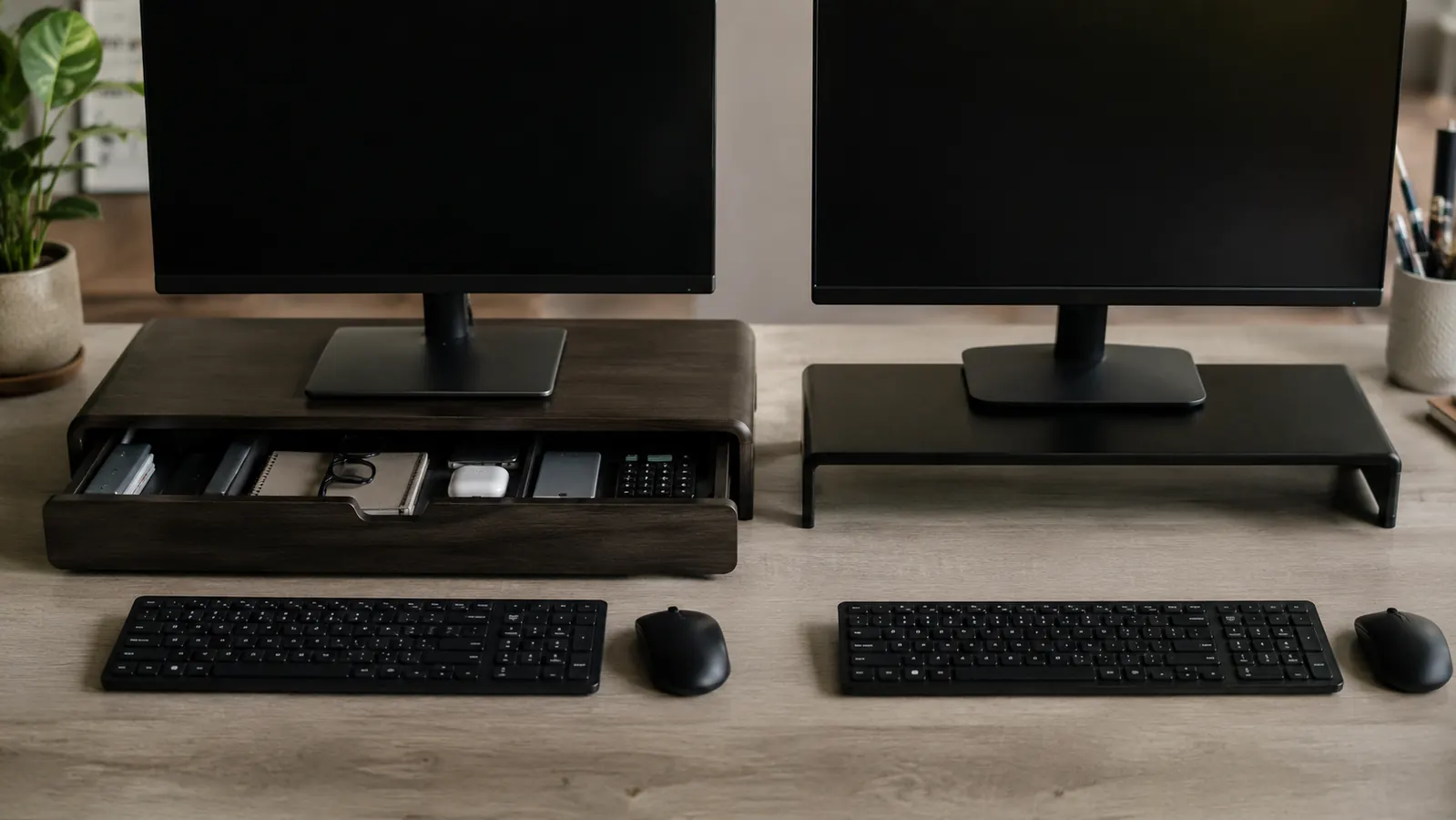
Here is the short answer: if your monitor is the only thing going on your desk, a plain monitor stand will work just fine. But if you have a small desk, a scattered pile of chargers and pens near your keyboard, or sticky notes stacking up around your monitor base, the drawer version pays for itself in the first week. The WALI Monitor Stand Riser with Drawer is the pick in the drawer category at a budget price. It has over 15,500 Amazon reviews and a 4.7-star rating. This article is going to tell you exactly which situation calls for which option, without making it complicated.
Both types of risers do the same core job: raise your monitor 4 to 6 inches so the top of your screen sits closer to eye level. That alone reduces neck and shoulder strain from looking down at a flat desk all day. The question is whether you need the extra real estate that opens up underneath, and whether you want something to actually hold your everyday items so they stop accumulating in random piles around your monitor.
| Monitor Riser with Drawer | Plain Monitor Stand | |
|---|---|---|
| Price Range | Check today's price on Amazon | Budget-friendly typical range |
| Built-in Storage | Yes, one full-width slide-out drawer + 2 pen holders | None |
| Monitor Lift Height | Approximately 4.5 inches | Typically 3 to 5 inches depending on model |
| Load Capacity | Up to 22 lbs (confirmed for standard 24- to 27-inch monitors) | Varies; budget units often 10 to 15 lbs |
| Footprint on Desk | Wider due to pen holders on both sides | Compact, exactly as wide as the platform |
| Build Material | MDF wood-composite with smooth laminate finish | Varies: plastic, wood-composite, bamboo, or metal |
| Cable Management | Open underside space plus drawer interior for loose cables | Open underside space only |
| Assembly Required | Minimal, attaches in minutes without tools on most variants | Usually none, single-piece construction |
| Best Desk Type | Small to mid-size desks where surface clutter is the main problem | Larger desks with dedicated storage elsewhere, or standing desks with cable trays |
Where the WALI Riser with Drawer Wins
The most immediate win is the drawer itself. On a typical home office desk under 60 inches wide, there is almost never a good place for the small stuff: a wireless mouse dongle, a spare stylus, the cable you use once a week, the sticky-note pad you keep grabbing. Without a drawer, all of that ends up in a pile next to your monitor or gets pushed around every time you need desk space. The WALI drawer is not deep, but it is sized right for exactly those items, and it slides smoothly without rattling around when you bump the desk.
The two pen holders on the sides are a small detail that solves a specific daily annoyance. If you keep a pen, a stylus, or a pair of scissors within arm's reach of your keyboard, you know how often they end up rolling to the back of the desk or getting buried. The WALI puts them in a fixed spot that is actually easy to grab without looking away from your screen. On paper it sounds minor. In practice, after a week, you stop thinking about where your pen is. That is exactly the kind of frictionless improvement a good desk setup is supposed to deliver.
The platform itself holds monitors up to 22 lbs, which covers virtually every 24- to 27-inch flat panel you would use in a home office. The elevated surface is also firm with no wobble at its rated capacity, which matters if you type quickly and do not want your monitor shifting around mid-sentence. The finish is clean and neutral enough to blend into most desk setups without looking like an obvious add-on.

Where a Plain Monitor Stand Wins
Plain monitor stands win on price and on desk real estate. If you already have drawers in your desk or a separate desk organizer that handles your small items, the drawer on the WALI is redundant storage you are paying for but not using. A basic budget riser gives you the same ergonomic screen lift and the same open underside space for a keyboard and mouse, without the pen holders that add a couple of inches of width on each side.
Plain stands also win when build material matters to you specifically. Some of the bamboo and aluminum risers in this price range are aesthetically cleaner and physically lighter than a wood-composite unit with extra attachments. If you have a standing desk with a full-length cable tray underneath, or a corner desk where you already have drawer space in the return, a plain stand is the smarter call. The extra features you are paying for with the drawer version only have value if you actually need them.
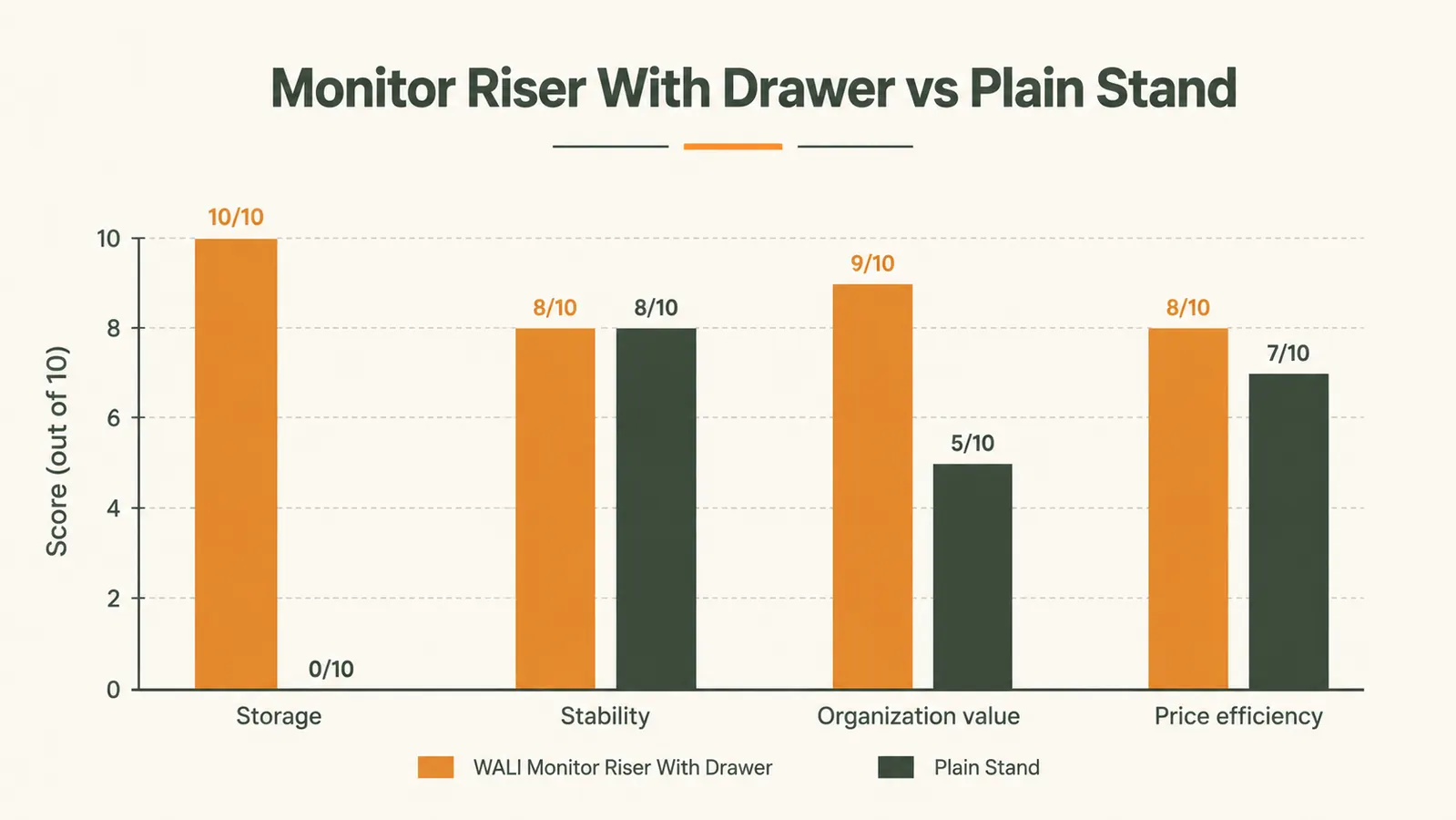
The question is not which type of riser is better. The question is whether your desk has a clutter problem. If it does, the drawer version solves it for a modest upcharge. If it does not, the plain stand is all you need.
Who Should Buy the WALI Riser with Drawer
You should buy the WALI if your desk is 55 inches or smaller, if you do not have a dedicated desk drawer, and if you find yourself constantly moving small items around to clear space. The most common profile here is someone working at an IKEA-style budget desk or a simple 48-inch writing desk with no built-in storage. The drawer version turns the dead space under your monitor into a functional storage slot, and the pen holders keep your two or three most-used tools within immediate reach. At a low price point, it costs less than most desk organizer trays, and it combines two jobs into one footprint.
It is also worth considering if you are a remote worker who does a lot of video calls. A clean desk behind your monitor looks better on camera, and having a place to tuck your phone, lip balm, or earbuds out of sight without reaching across the desk makes a difference during a call. The riser pushes that stuff out of frame into the drawer without any extra effort.
Small desk, scattered stuff? The WALI drawer riser solves both in one move.
The WALI Monitor Stand Riser comes with a full-width slide-out drawer, two pen holders, and a 22-lb rated platform for a modest price. Over 15,500 buyers and a 4.7-star average say it holds up.
Amazon Check Today's Price on Amazon →Who Should Skip the Drawer and Get a Plain Stand
Skip the drawer version if you already have drawer space in or around your desk, if you are using a standing desk riser or L-shaped desk with abundant storage, or if you prefer a bamboo or metal finish that the WALI does not offer. Also skip it if your desk is large enough that small items are never in your way. In that case you are paying a premium for a problem you do not have. A clean single-piece riser does the ergonomic job for less money and takes up less visual space on an already organized setup.
Plain stands also make more sense if you are going to place a dual-monitor arm on top of the riser. Some people use a riser just to add cable routing height and plan to mount both screens on an arm. In that configuration the drawer and pen holders on the WALI can get in the way of clamp placement, and a flat, compact base is cleaner.

Who Should Buy Which: The One-Paragraph Version
If your desk is small or lacks built-in storage and you want a single budget upgrade that both raises your screen and gives you a place to stash your daily carry items, buy the WALI Monitor Stand Riser with Drawer. You can find the full breakdown of what it does and how it holds up over time in the detailed review at the link below. If your desk already has storage and you just need the ergonomic screen lift, any basic budget riser will do the job. And if you want a step-by-step approach to setting up your entire desk around a monitor riser, that guide is also linked below. The bottom line: the modest premium for the drawer version is worth it for most home office workers, and not worth it for the minority who already have their desk organization solved.
The WALI has 15,567 Amazon reviews as of this writing, with a 4.7-star average that has held steady. That is a strong signal for a product in a category where cheap versions fail fast. For the full hands-on experience and a look at the drawer depth, pen holder clearance, and how the finish holds up after months of use, see the in-depth WALI review linked here: WALI Monitor Stand Riser Review. If your goal is setting up your whole desk around the riser as a hub, not just an accessory, the how-to guide at How to Organize Your Home Office Desk with a Monitor Stand Riser walks through that process start to finish.
Still on the fence? Check the current price and read the reviews before you decide.
The WALI Monitor Stand Riser with Drawer and 2 Pen Holders is currently modestly priced on Amazon. With 15,500+ reviews at 4.7 stars, it is one of the most consistently rated monitor risers in its price tier.
Amazon Check Today's Price on Amazon →