
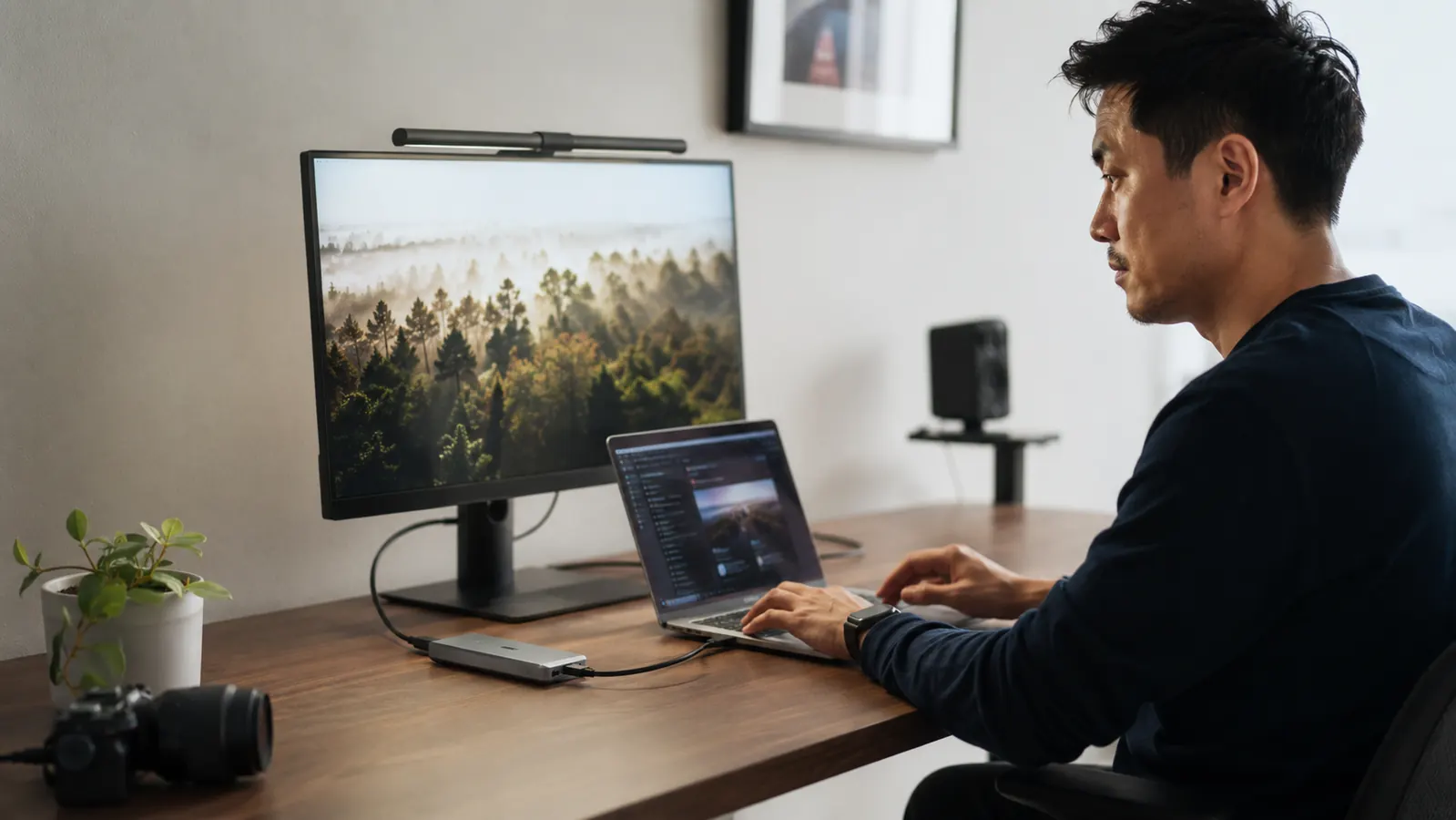
The fix turned out to be a single USB-C hub, but I want to tell you about the dumbest problem I put up with for almost a year before I bought one. I have a MacBook Air that came out of the box with exactly two USB-C ports and nothing else. No HDMI, no USB-A, no SD card slot. And because I use a wired keyboard, an external monitor, and I pull photos off a camera card about twice a week, I had assembled this little collection of dongles that lived on my desk like some kind of technology graveyard. One for HDMI. One for USB-A. One SD card reader that I kept losing under a stack of papers. Three separate plastic lumps, each with their own short cable, all of them either plugged into the laptop or waiting their turn in a little pile next to it.
It sounds minor when I write it out like that. But here is what it actually looked like day to day. I would get on a video call, reach for my external webcam, and realize the USB-A dongle was on the wrong side of my laptop. I would need to transfer a file to a flash drive and the USB-A slot was already being used by the keyboard receiver, so I had to unplug something to plug in something else. Every single day there was some small version of that irritation. A cable unplugged in the wrong order, a dongle bumped off the desk, a 30-second interruption that should not exist. The desk never looked clean. There was always something dangling.

My wife walked past my desk one afternoon in January and said, very genuinely, 'Why does your workspace always look like this?' I did not have a good answer. I had a nice monitor, a good chair, a desk I actually liked. And then this rats nest of tiny adapters right in the middle of all of it. I told her I needed a hub. She asked what that was. I said it was a thing that has all the ports in one place. She said that sounded like something I should have done a long time ago. She was right.
I had looked at USB-C hubs before but kept getting overwhelmed by the options. Some cost well into the premium range. Some had ports I would never use. Some had reviews mentioning they ran hot or caused the laptop to charge slowly. I did not need anything complicated. I needed HDMI for the monitor, a couple of USB-A ports for the keyboard and the occasional flash drive, an SD card slot, and I wanted it to pass power through so the laptop could still charge while everything was connected. That was it. I found the Hiearcool 7-in-1 USB-C Hub with over 51,000 reviews on Amazon and bought it mostly because the port lineup matched exactly what I was looking for and the price was budget-friendly.
I plugged it into the laptop, connected the HDMI cable to the monitor, slid in the keyboard receiver, and it just worked. The whole setup took about two minutes and I sat there for a second slightly annoyed that I had waited a year to do this.
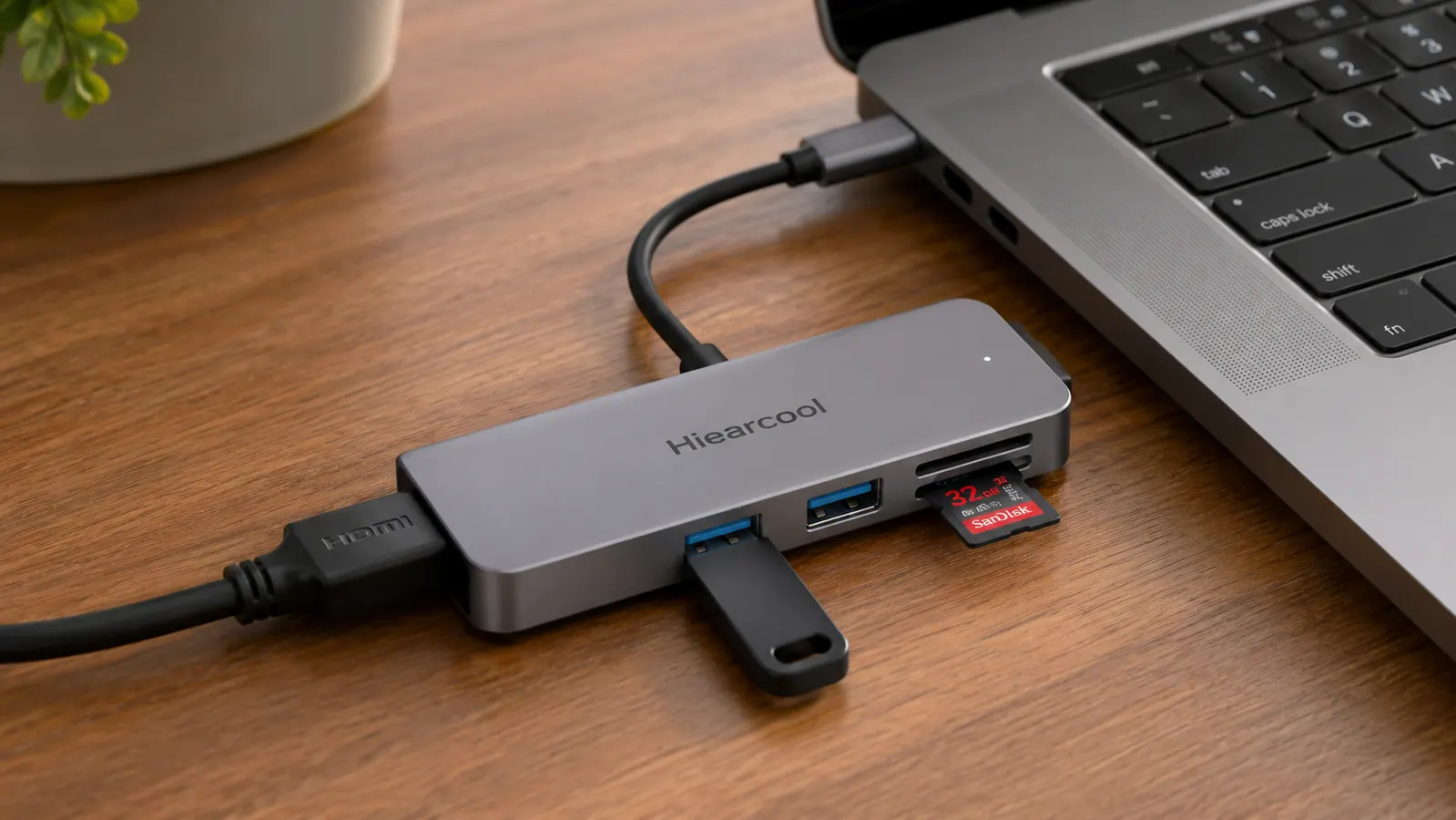
The hub arrived in a small box with no drama. It is about the size of a USB flash drive but thicker, roughly the length of your index finger. It has a short built-in cable that plugs into your USB-C port, so there is no separate cable to wrangle. I plugged it into the laptop, connected the HDMI cable to the monitor, slid the keyboard receiver into one of the USB-A slots, and it just worked. No drivers to install. No setup screen. The monitor recognized it immediately. The keyboard stayed connected. I slid an SD card into the reader slot out of habit and my photo library popped open automatically. The whole thing took about two minutes, and I sat there for a second slightly annoyed that I had waited a year to do this.
Stop swapping dongles. One hub handles it all.
The Hiearcool 7-in-1 USB-C Hub gives you 4K HDMI, two USB-A ports, an SD card reader, a MicroSD slot, and 100W power pass-through in a hub smaller than your phone charger. Over 51,000 buyers and rated 4.6 stars.
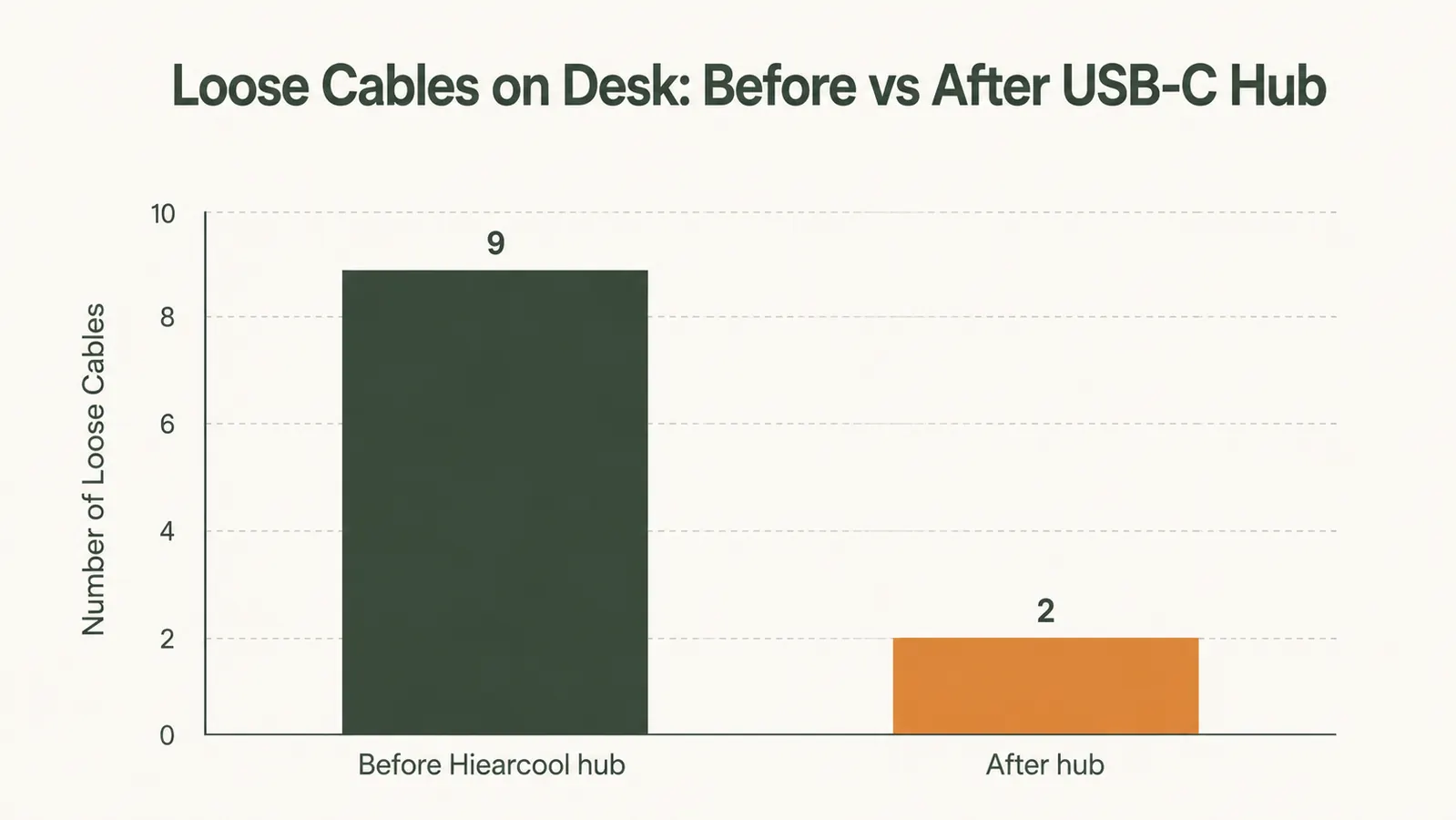
Amazon Check Today's Price on Amazon →What I did not expect was the effect it would have on the rest of the desk. The three separate dongles went into a drawer where they now collect dust as backup. The only thing connecting the laptop to everything else is one hub with one cable going into one port. The monitor cable, the keyboard, the SD reader: they all feed into this one small device and it feeds into the laptop. The desk surface has about forty percent less visual noise than it did before. That sounds like an exaggeration but I actually took a photo to compare.
I have been using it for about four months now. The 100W power delivery works correctly. My MacBook charges at the same speed as the wall charger when plugged through the hub, which was the thing I was most worried about before buying. The HDMI runs the external monitor at its native 1440p resolution without any issues. The SD card reader transfers at a speed that is fast enough that I have never thought about it, which is the best compliment I can give a tool like this. It does what it is supposed to do so reliably that it disappears into the setup.
What I'd Tell You If We Were Sitting at My Kitchen Table
If you have a modern laptop that stripped out the classic ports and left you with nothing but USB-C, and you have been cobbling together a setup with multiple individual adapters, you are making your work life harder than it needs to be. A hub like this is not a luxury upgrade. It is the thing that should have been in the box. The Hiearcool is the one I would buy again without looking at alternatives, because the port selection is right, the price is right, the power delivery works, and the build quality has held up over four months of daily use without getting warm or causing any issues. That is all I needed it to do.
The only thing I would say to watch for is that it physically occupies the USB-C port it plugs into, so if your laptop only has one USB-C port and you need to use it for something else, plan accordingly. If you have two ports, plug the hub into one and keep the other free. That is the only constraint worth knowing going in. Everything else just works.
My desk looks like a workspace now. Not a parts bin. That is what a seventeen-dollar piece of aluminum and plastic did for me. If you are dealing with the same thing, stop waiting. The fix is genuinely this simple. You can read my full breakdown of ports, power delivery, and HDMI output in my Hiearcool USB-C Hub review, or if you want to see all the daily frustrations this thing solves, the list is in 10 home office annoyances a USB-C hub fixes.
Your desk deserves one cable, not four.
The Hiearcool 7-in-1 USB-C Hub is the straightforward fix for a cluttered port situation. HDMI, USB-A, SD card reader, and 100W charging, all in one budget-friendly hub. Check the current price before you buy another individual dongle.
Amazon Check Today's Price on Amazon →