
I have a 48-inch desk. That sounds decent until you put a 27-inch monitor on it, add a keyboard, a notepad, a coffee mug, and whatever else accumulates over a workday. By Thursday afternoon, I was typing on a six-inch strip of clear space and using my laptop sleeve as a mousepad. Something had to change. What I did not expect was that a budget monitor riser would be the fix that mattered most.
The WALI Monitor Stand Riser has 15,567 Amazon reviews and a 4.7 rating. Numbers like that usually mean the product is either genuinely good or relentlessly marketed. After using one daily for about four months, I can tell you which it is, and I can also tell you the two things that nobody in the standard review roundups bothers to mention. Those two things determine whether this riser is perfect for you or the wrong tool entirely.
The Quick Verdict
The best budget small-desk upgrade if storage is your real problem, not just screen height.
Amazon Check Today's Price →Your desk is not too small. Your monitor base is just wasting the space under it.
The WALI riser adds four inches of screen height and a full-width drawer in the same footprint as your current monitor base. Check current pricing on Amazon.
Amazon Check Today's Price on Amazon →What Nobody Tells You About the Drawer
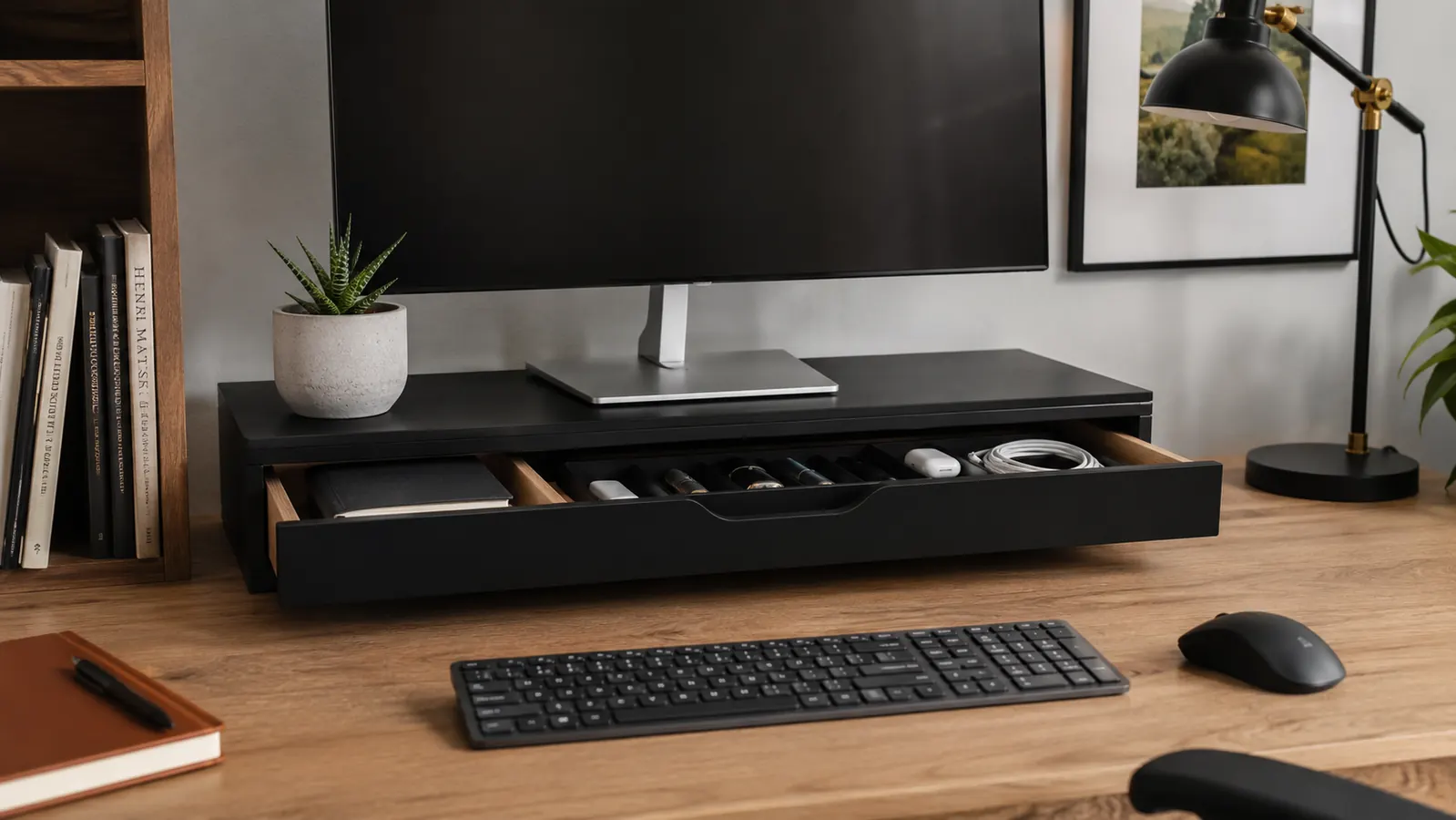
Almost every review mentions that the drawer exists. Almost none of them say how big it actually is, because most reviewers photograph it empty and move on. The WALI drawer is 22.6 inches wide and about 3.75 inches front to back with a depth of around 1.5 inches. That is not deep enough for a laptop, a wallet, or anything over about an inch thick. What it is perfect for: a full row of pens, a small notepad, your phone face-down, a pair of earbuds, sticky notes, and a thumb drive or two. That covers 80 percent of what most people have scattered around their monitor base right now.
The drawer is a single open tray with no dividers. I added a cheap silicone utensil tray from the kitchen drawer section at the dollar store, and it turned a catch-all into an organized tool kit. That is a $1.50 fix that nobody in any review mentions. If you are buying this riser for the storage, grab one of those trays at the same time. The combination is noticeably more useful than the raw drawer alone.
The drawer slides on a plastic channel. Smooth but not silent. If your desk is in a bedroom and you share that space with a sleeping partner, pulling the drawer open at 6 AM will get you a look. It is not a rattling mess, but it is not the quiet whisper of a premium oak filing cabinet either. For a solo home office, daytime use, or any space where a quiet slide does not matter, this is a non-issue. I just wanted to say it plainly because nobody else does.
The Pen Holders Nobody Uses (And What to Put There Instead)
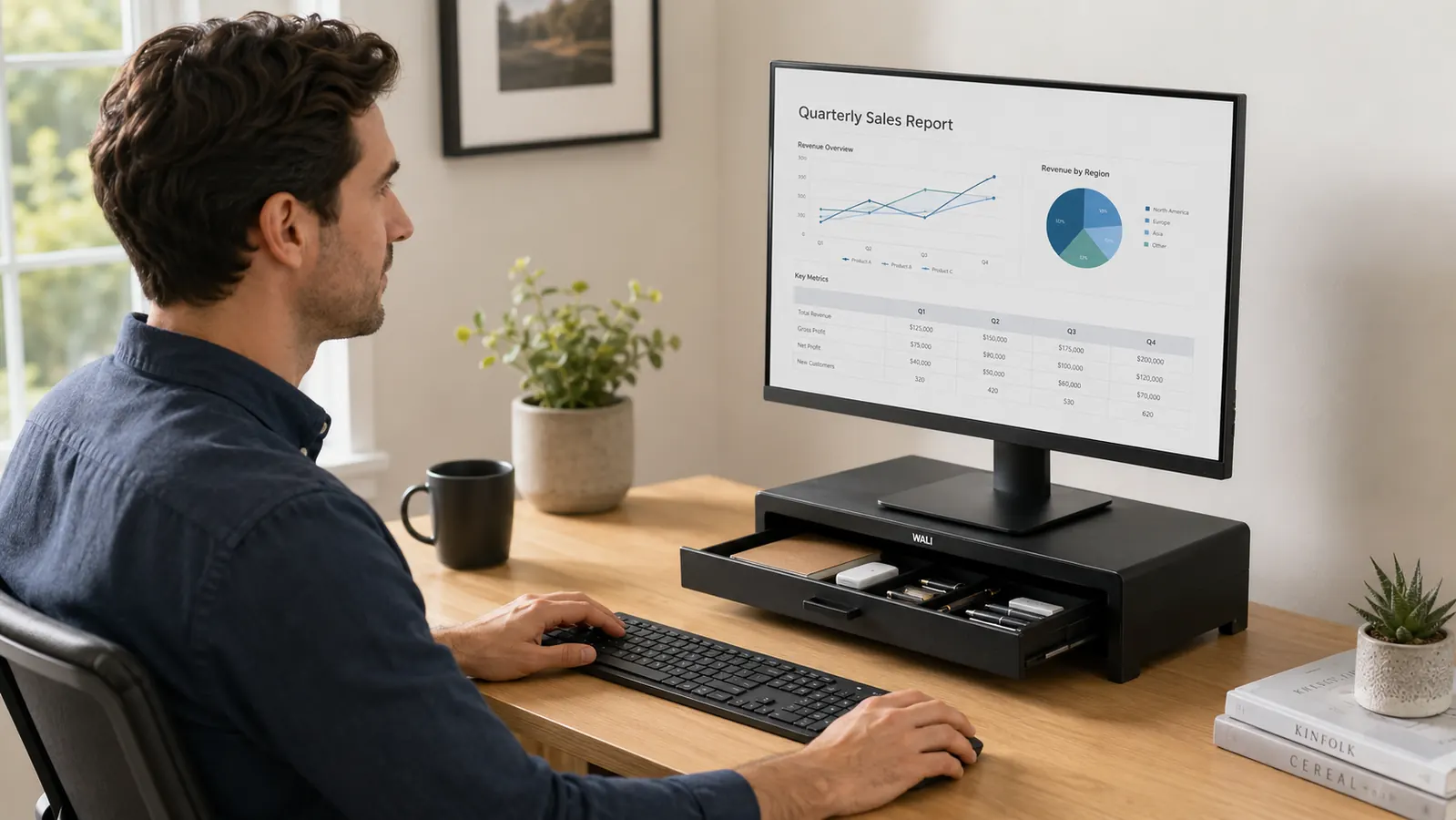
The WALI riser ships with two cylindrical pen holders on the top surface, one on each rear corner. They hold pens, obviously, but they also hold scissors, a box cutter, a USB charging cable coiled up, a small screwdriver, a stylus, a pair of glasses. Once I stopped thinking of them as pen holders and started thinking of them as small-item silos, they became genuinely useful. They do not wobble. They have enough weight to stay put when you pull something out with one hand.
What they do not work well for: charging cables that need to run to a port on your laptop. The holders are on the top rear corners, which means any cable you drop in there still needs to reach forward to your machine. It works, but it is not clean. For cables, I run them through the cutout slot at the rear of the riser surface instead. That slot is there for exactly this purpose, and it does a cleaner job than trying to drape a cable over a pen cup.
Four Months of Daily Use: What Actually Held Up
The WALI riser is MDF with a melamine finish. That is particleboard with a laminate coat, which sounds cheap because it kind of is. It is also exactly what every IKEA desk and most office furniture is made from. After four months of daily use, including two moves of the entire desk setup and one spilled coffee that I caught at the edge, the finish is unmarked. The corners are intact. The surface has not warped. I am not saying this thing is heirloom furniture. I am saying it has performed exactly as well as the rest of my desk.
The weight rating is listed as 44 pounds. My 27-inch monitor weighs about 13 pounds. I have also had my monitor, a second small display, a USB hub, and a wireless charging pad all on the surface at once, probably 25 pounds total, and there was no flex or sag. The legs are four solid panels that lock into slots, not wobbly tabs. This thing is more structurally rigid than it has any right to be at this price.
The assembly took me nine minutes. I timed it because I was genuinely curious how short it could be. Four panels, a few screws, the drawer slides in, you are done. No tools required beyond the small hex key that ships with it. First-time setup is not an event. It is a brief interruption.
After four months, the finish is unmarked, the corners are intact, and the surface has not warped. It has performed exactly as well as the rest of my desk.
The Honest Tradeoffs Nobody Mentions
The WALI riser raises your monitor 4 inches. That is the standard height for this category of product. Four inches of additional height is meaningful if you were previously resting your monitor directly on the desk surface. But if your neck already sits comfortably with your current screen height, adding four inches might actually push the screen too high for your chair position. Measure before you buy. The target is the top third of your monitor at or slightly below natural eye level when you are sitting in your usual working posture. If you are currently at that height, a riser is solving a storage problem, not an ergonomic one.
The footprint is 23.3 inches wide by 9.3 inches deep. This is wider than most monitor bases, which means it will extend forward on your desk by about four to five inches beyond where your monitor feet currently sit. On a deep desk, that disappears. On a shallow desk of 20 inches or less, you might find the riser takes up more front-to-back real estate than you expected. If your desk is 24 inches deep, this riser comfortably fits a monitor on top and leaves room for a keyboard in front. If your desk is 18 inches deep, measure it out on paper before ordering.
The color options are black and white. Both are matte finishes. The black is close to a flat charcoal, which reads neutral on most desks. The white is closer to an off-white than a true bright white, which actually looks better next to real-world desks than a stark white would. Neither color option is going to be a perfect match for a walnut desktop or a white Scandinavian surface, but both are close enough that the mismatch is not noticeable in use.
What I Liked
- The drawer is full-width and genuinely clears desk clutter when used consistently
- Pen holders double as small-item silos for cables, scissors, stylus, and other items
- MDF build holds up to daily use without warping or corner damage
- 44-pound weight rating is more than adequate for any standard monitor setup
- Assembly takes under ten minutes with no tools beyond the included hex key
- Cable management slot at the rear keeps cords routed cleanly
- Competitive price in a crowded category with very few corners cut
Where It Falls Short
- Drawer slides on plastic, not silent, noticeable in quiet rooms
- No internal drawer dividers out of the box
- 4-inch height boost may overshoot for users whose monitor is already at a good height
- Footprint is wider than most monitor bases, requires a desk at least 24 inches deep to work comfortably
- MDF is not water-resistant; a spill that sits will damage it
What Competing Risers Get Wrong
I tested two other risers in the same price range before settling on the WALI. The first was a basic bamboo riser with no storage at all. It looked better on camera. It also had a smaller footprint. But once I put my monitor on it and stepped back, the 'cleaner look' disappeared behind a pile of stuff I now had nowhere to put. Storage is not a bonus feature on a monitor riser. It is the feature. Any riser that lacks a drawer is solving half the problem.
The second alternative was a metal mesh riser with a small open shelf rather than a drawer. The open shelf seemed like a good idea until I realized that everything sitting on that shelf was visible from any angle, including video calls. The WALI drawer closes. Whatever mess is inside stays inside. For video calls, that matters more than I initially gave it credit for.
At the same price point, I have not found a riser with a better combination of drawer capacity, structural stability, and cable management options than the WALI. If you are spending more on a monitor riser, you are either buying aesthetics or a dramatically larger footprint. Neither is necessarily wrong, but the WALI handles the practical job list at a price where the decision feels easy.

Who This Is For
The WALI monitor stand riser is the right buy for someone with a desk of 36 to 60 inches wide, 24 inches or more deep, and a real clutter problem around the monitor base. If you have pens, headphones, sticky notes, a phone, loose cables, and miscellaneous items scattered across your desk right now, this riser will absorb most of them. The screen height boost is a secondary benefit. The storage is the primary one. If you are primarily trying to fix neck or eye strain from a monitor that is too low, this still helps, but pair it with a review of your chair height and monitor tilt settings to get the full ergonomic benefit.
It also works well for people on a tight desk budget who do not want to buy a separate desk organizer and a separate monitor riser as two distinct purchases. The WALI handles both jobs in one footprint for less than the cost of most standalone desk organizers. That math is hard to argue with.
If you work from a permanent home office and have committed to that desk for the long haul, the WALI also just makes sense as a foundational piece. Once your cables are routed, your drawer is organized, and your monitor is at the right height, you stop thinking about all three of those things. That is worth more than the price tag suggests.
Who Should Skip It
Skip the WALI riser if your desk is under 20 inches deep. The riser footprint will eat your usable surface in a way that creates new problems. Also skip it if you already have strong monitor arm mounting that puts your screen at the right height. A monitor arm solves screen positioning in ways a static riser cannot, and adding a riser just adds height without the adjustability you already have.
If aesthetics matter a lot to you because your desk setup is on camera regularly, the MDF melamine finish is going to read as budget. It looks fine in person. On camera it reads as office supply, not high-end workstation. For a broadcast-quality desk setup, a bamboo or solid wood alternative will photograph better, even if it solves fewer practical problems.
Finally, skip it if your clutter problem is actually a volume problem rather than a placement problem. The WALI drawer holds about what you can fit in a single kitchen junk drawer. If your desk accumulation is significantly larger than that, you need more storage than one riser can provide. Start with a better desk organization system first, then layer in a riser once you have reduced the pile to what actually belongs on the work surface.
Small desk, a lot of clutter, and a monitor sitting flat on the surface? This is the fix.
The WALI monitor stand riser elevates your screen four inches, hides your desk clutter in a full-width drawer, and keeps cables routed out of sight. One of the highest-rated monitor risers in this price range for a reason.
Amazon Check Today's Price on Amazon →