

If you work from home, there is a good chance you have gone entire days without walking more than a few hundred steps. You roll out of bed, sit at your desk, take a break for lunch in the kitchen, and then sit back down until dinner. By the time you check your phone at 9pm, you have logged 1,400 steps and your lower back is reminding you about it. This is not a discipline problem. It is a design problem. Your environment makes sitting the default and moving the exception.
The good news is that you do not need to redesign your entire life. You need a better system, one that fits inside the workday you already have. This guide walks through five practical steps for building real movement into your home office routine. The centerpiece is a TRAILVIBER under-desk walking pad, which sits beneath your desk and lets you walk at a low pace while you work. But the steps that come before it matter just as much, because even the best piece of gear will collect dust if the rest of your habits are fighting it.
If you sit 8+ hours a day, your back already knows you need this
The TRAILVIBER walking pad fits under a standard desk, holds up to 450 lbs, and moves at speeds low enough to type and take calls on. Rated 4.7 stars across nearly 2,000 reviews. Check today's price before you read another word.
Amazon Check Today's Price on Amazon →Step 1: Audit the Real Problem Before You Buy Anything
Before adding new habits, figure out exactly when your movement drops to zero. Spend one normal workday keeping a rough mental log. When did you last stand up? How long were you in one position? Most remote workers discover two dead zones: the two-hour morning deep work block and the post-lunch afternoon stretch. Both feel productive in the moment, but they are the stretches that leave you stiff and sluggish by 4pm.
The point of this audit is not to make you feel bad. It is to give you a target. If you can identify just two ninety-minute windows where you are parked in your chair, you have found the two slots where a walking pad pays off the most. Write them down. You will use them in Step 3.
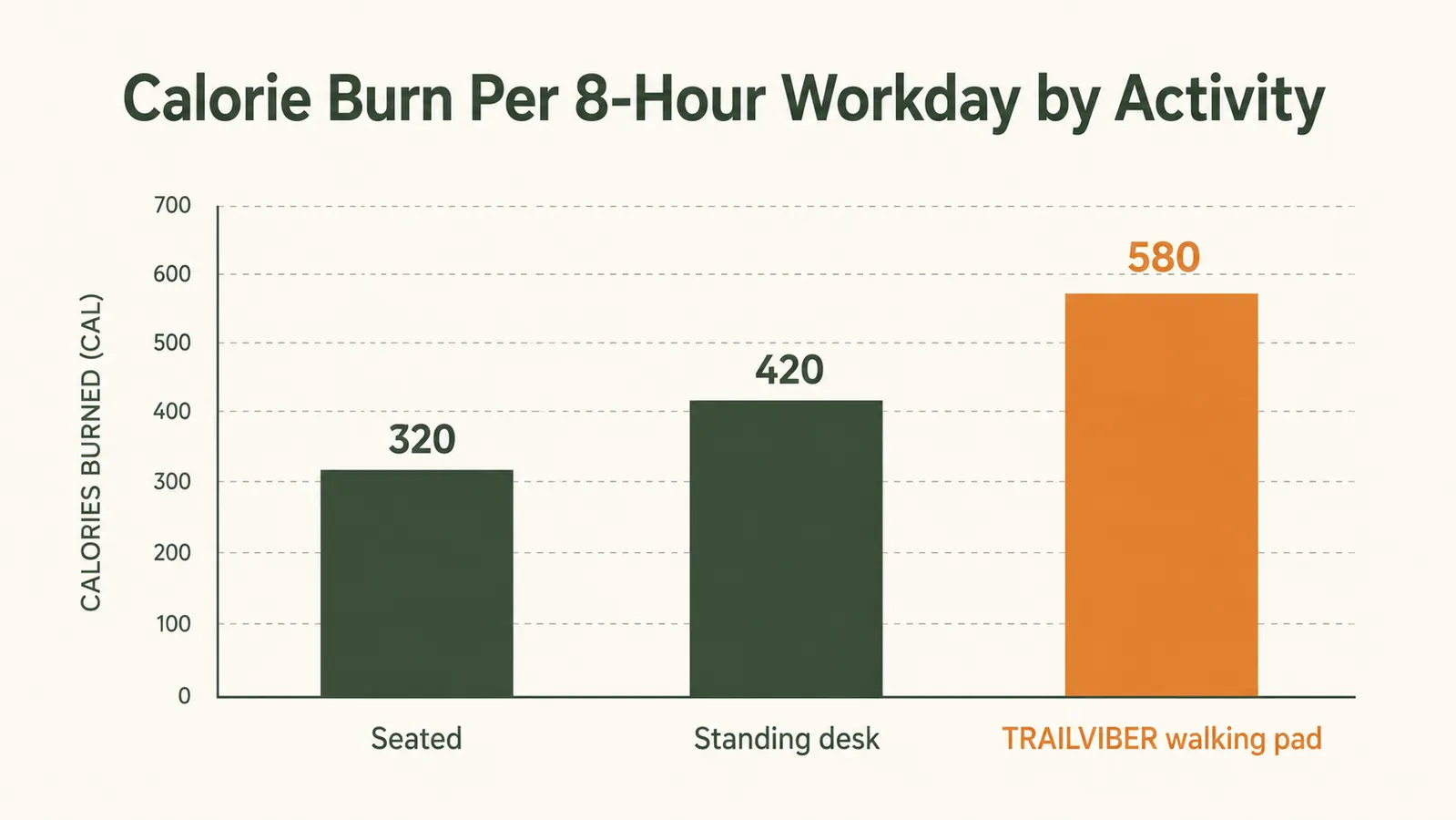
Also look at your desk setup while you are at it. A walking pad only works if your desk is high enough to walk under comfortably. If you are using a fixed-height desk, you either need to raise it with risers or accept that the walking pad is best used at a standing desk. Most people with a sit-stand desk can walk at 1 to 2 mph without any issue. If that is not you, skip ahead to Step 2 and come back once your desk situation is sorted.
Step 2: Stack Movement Onto Something You Already Do
The fastest way to build a new habit is to attach it to something that already happens automatically. For remote workers, there are four natural anchors: morning email, calls, reading, and review tasks. These are the low-concentration activities where your hands or your brain are only partially engaged. They are also the activities where a walking pad fits perfectly, because you are not trying to type a complex document or run a calculation while moving. You are doing something you could do half-asleep.
Pick one anchor to start. Calls are the easiest because you are talking, not typing. Commit to stepping onto the walking pad every time you take or make a phone call or join a video meeting where you are not presenting. You do not need a goal for how fast or how long. The only rule is: call starts, feet move. After two weeks of doing this consistently, add a second anchor, like morning email triage. Build slowly so the habit has time to stick before you layer on more.
This approach also solves the motivation problem that kills most exercise intentions. You are not trying to carve out a dedicated workout block during the middle of a busy workday. You are just changing what you do with time you were already spending. The TRAILVIBER operates as quietly as a normal conversation, so you can stay on calls without anyone knowing you are moving.

Step 3: Set Up Your Walking Pad for Zero-Friction Use
The single biggest predictor of whether a walking pad gets used is how easy it is to start a session. If the pad is in a closet, you will never use it. If it requires you to move furniture, rearrange cables, or fumble with a remote before you can get going, you will skip it nine times out of ten. The setup needs to be immediate, or it will not happen.
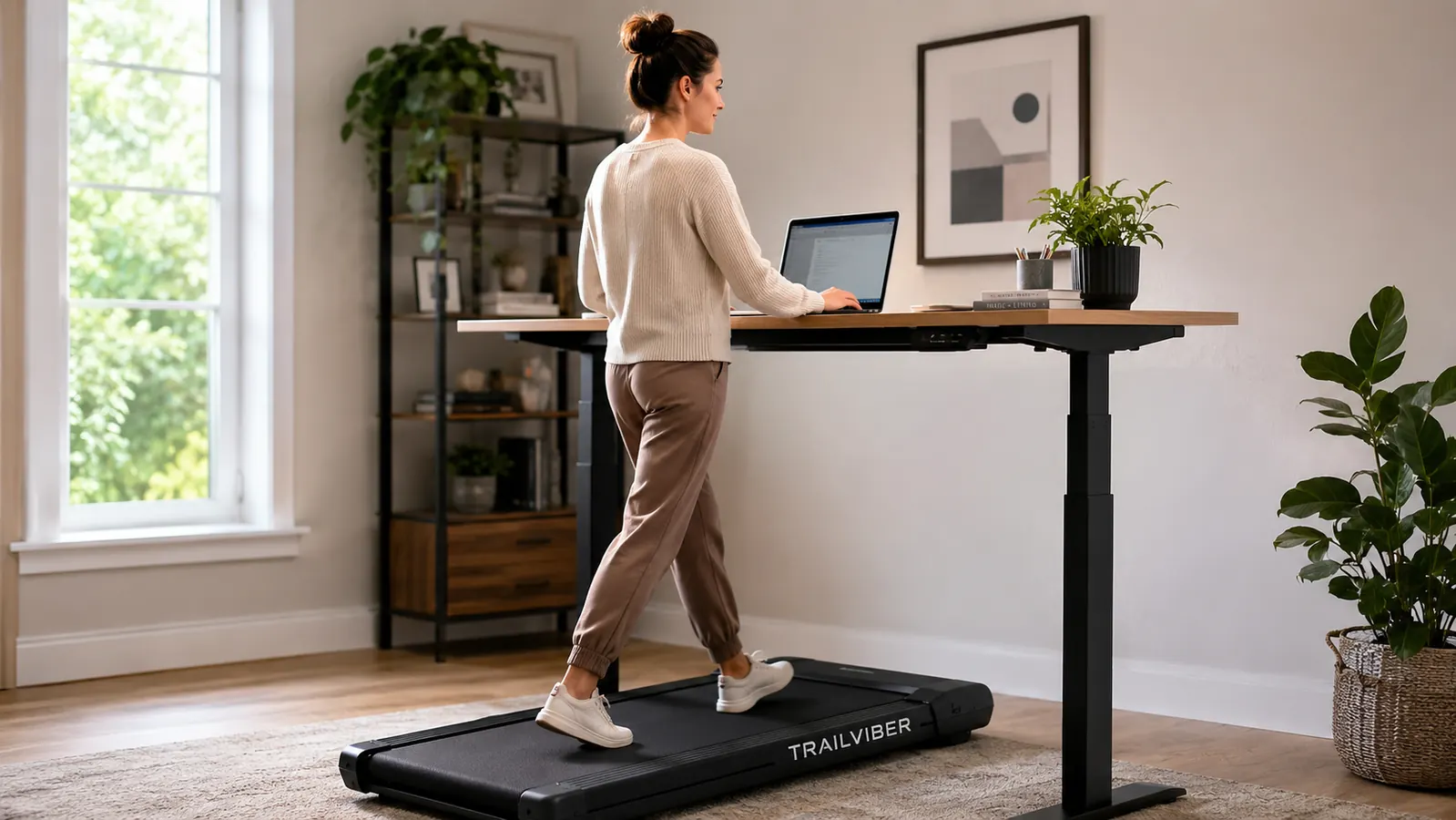
The TRAILVIBER is designed with this in mind. It folds flat and slides under a desk, so it lives in your workspace all the time. The remote control clips to your desk. You step on, tap the remote, and you are walking within about ten seconds. That kind of friction-free start is what separates walking pads that get used from ones that end up as expensive coat racks. Position the pad so the front edge is about a foot in from the front of your desk, which keeps you centered under the work surface without feeling cramped.
For desk height, most people find that a surface set two to three inches higher than their normal sitting height works well for walking. If you have a sit-stand desk, program a walking preset at that height. That way switching from sitting to walking is a single button press, not a manual adjustment you have to think about. The less friction, the more it happens.
Step 4: Set a Daily Step Floor, Not a Step Ceiling
Most fitness advice tells you to hit 10,000 steps a day, which sounds great until you realize it has zero bearing on a remote worker's actual schedule. A more useful goal is a daily step floor: the minimum number of steps you commit to during work hours, regardless of what else happens. For most people starting from a sedentary baseline, a floor of 4,000 workday steps is both achievable and meaningful. That is roughly 40 to 50 minutes of walking spread across the day at a comfortable 1.5 to 2 mph pace.
Use the TRAILVIBER's onboard display to track distance and steps per session, then add them up. After the first week, most people are surprised to find they are hitting or exceeding their floor without much effort, because the sessions stack up quickly when you tie them to calls and recurring tasks. Once the floor feels easy, raise it by 500 steps. Keep the ceiling out of the picture for now. The goal is consistency over months, not heroics in week one.
A step floor beats a step goal every time. You can always walk more. You cannot undo a day you skipped.
Step 5: Address the Rest of Your Sedentary Setup
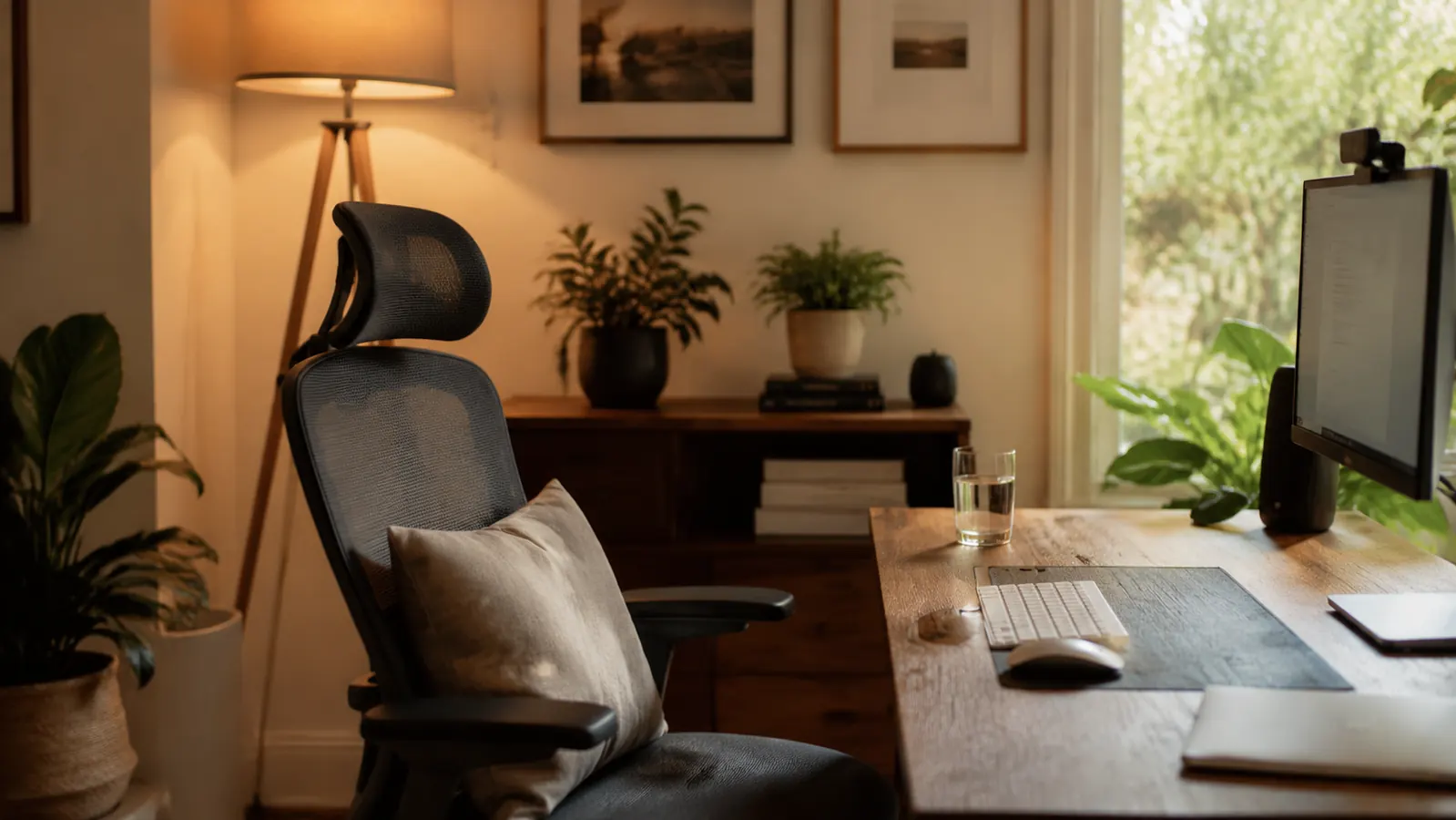
A walking pad handles movement during active work sessions. But what about the time you are sitting? Most remote workers spend at least four to five hours a day seated even with a walking pad in their rotation. The chair, the cushion, and the desk height still matter during those hours. If you are sitting on a chair that puts pressure on your tailbone or rounds your lower back, the pain you feel at the end of the day is not coming entirely from too little movement. Some of it is coming from poor posture while seated.
Review your seated posture during the same audit you did in Step 1. Feet flat on the floor, knees at roughly 90 degrees, hips slightly higher than knees if possible, monitor at or just below eye level. If your current chair or desk is forcing you into a compromised position, a seat cushion or monitor riser is often a cheaper fix than a new chair. Once your seated position is correct, the transition between sitting and walking becomes much easier on your body because you are not trying to recover from a bad sitting posture every time you step onto the pad.
You should also build in a few short standing-only breaks, even on the walking pad days. Two or three minutes of standing and light stretching every 90 minutes keeps your hips loose and prevents the hip flexor tightness that develops when you alternate only between sitting and walking. Set a recurring timer at 90-minute intervals. When it goes off, stand up, stretch for two minutes, then decide whether to sit, stand, or walk for the next block.
What Else Helps
The walking pad does the heavy lifting in this system, but a few supporting habits make a real difference. First, keep a water bottle at your desk and refill it in the kitchen, not from a nearby pitcher. That single round trip every hour or two adds short bursts of movement that break up seated stretches. It sounds trivial, but the physical transition of standing, walking to another room, and returning is enough to reset your posture and clear your head between tasks.
Second, treat your walking pad sessions as protected time. It is easy to tell yourself you will get on it after this email, after this meeting, after lunch, and then find yourself at 5pm having never stepped on it. The habit anchors from Step 2 protect against this by tying movement to things that are already scheduled. But if you have a day with no scheduled calls, set a calendar block at 10am and another at 2pm specifically for walking pad time, even if it is only 20 minutes each.
Third, keep your speed moderate. The TRAILVIBER goes up to a solid walking speed, but for sustained work sessions you want to stay in the 1.2 to 2 mph range. At that pace, your handwriting stays legible, your voice stays steady on calls, and your focus stays on work rather than balance. Save the higher speeds and incline settings for short burst sessions after you have finished for the day. The incline feature on the TRAILVIBER is genuinely useful for those moments, giving you a harder workout without increasing noise or footfall impact.
If you want a deeper look at how the TRAILVIBER compares to simply standing on an anti-fatigue mat, check out the comparison piece on this site. And if you are on the fence about whether a walking pad is the right move for your specific setup, the full review covers three months of daily use in detail.
The Gear That Makes This System Work
This system works without any gear at all if you commit to the habits in Steps 1 through 5. But realistically, the walking pad is what turns a good intention into a default behavior. When the hardware is already there, already plugged in, already under your desk, you use it. When it is not there, you mean to go for a walk and then you blink and it is 6pm.
The TRAILVIBER walking pad is the one I recommend for home office use specifically because of how it balances capacity, noise, and size. The 450 lb weight capacity means it is built with a solid motor and belt rather than the undersized components that cause cheaper pads to overheat during extended sessions. The 12 percent auto-incline across nine levels is a feature most under-desk pads skip entirely, and it matters if you want to do any kind of real cardio session outside of your work hours. And the footprint is slim enough to slide under a standard desk and stay there permanently, which is the only storage strategy that actually results in daily use.
At 4.7 stars across nearly 2,000 reviews, it has enough of a track record to trust. The handful of complaints are mostly about assembly instructions and the shipping box, which is not nothing, but it is a very different category of complaint than noise, motor failure, or belt slipping, which are the issues that actually matter for day-to-day use.
Your step count at the end of the workday should not be an afterthought
The TRAILVIBER walking pad fits the system described in this guide. It is quiet enough for calls, solid enough for daily use, and sized to stay under your desk permanently. Over 1,900 buyers rate it 4.7 stars. See current pricing on Amazon.
Amazon Check Today's Price on Amazon →